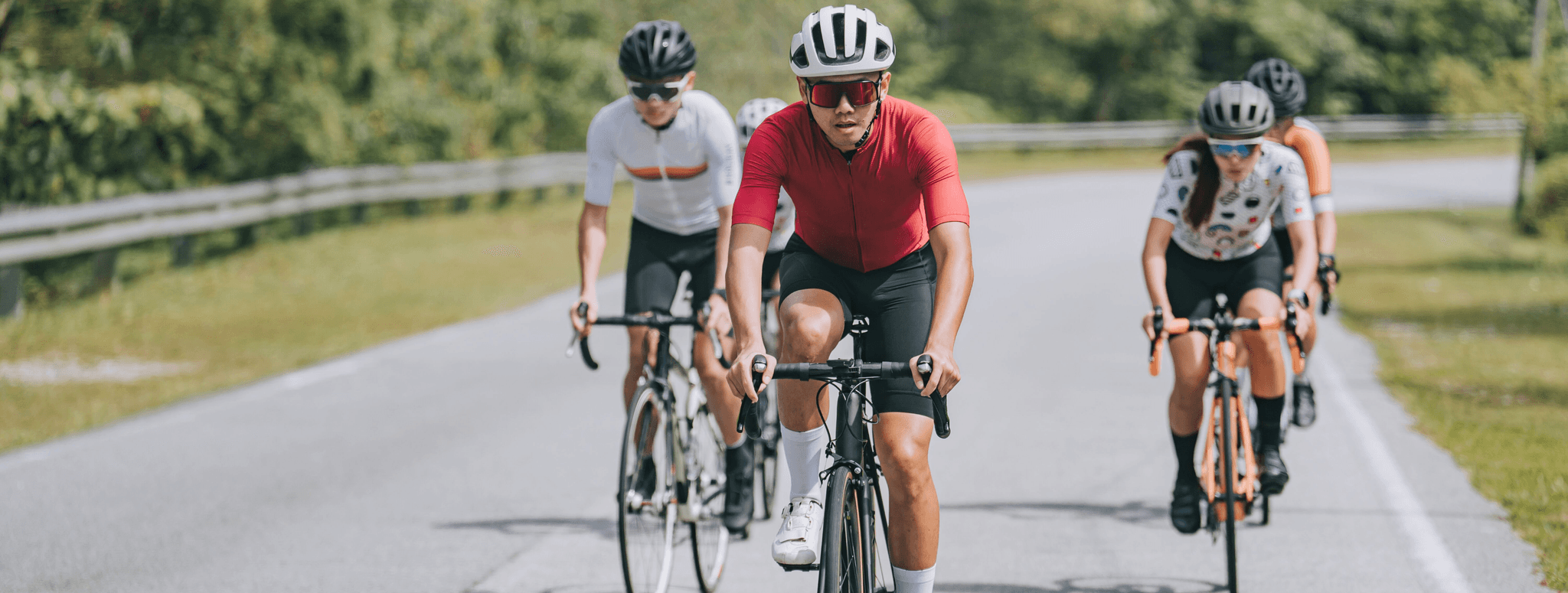
Supporters raise money by challenging themselves to cycle 300 miles in whatever way they choose over the month of July.
Once you’ve signed up, join the Facebook Group dedicated to this challenge and click 'Join Group'. Once you're in, you can complete a form to get your free Cancer Research UK tech top, get tips for completing the distance, be inspired by other fundraisers and find out anything you want to know about the challenge.
Yes! If you don’t have Facebook, you can set up a Cancer Research UK online Giving Page and collect sponsorship for your Cycle 300 Miles in July Challenge.
There is no entry fee for this challenge, but we do ask that you fundraise for Cancer Research UK through your online Giving Page. All donations to the page will automatically be sent to us.
Yes, under-18s can take part in this challenge, but we do not market to them and any third-party platform forum (such as Facebook groups) are only available to people over 18. If under-18s are taking part, their parent or guardian must consent to the child’s participation, supervise the challenge and accept responsibility for complying with the challenge rules. The child’s parent or guardian must register on the child’s behalf and if a child wants to raise money online and/or join a forum, the child’s parent or guardian must register for an online fundraising page and/or join the forum on the child’s behalf.
While we encourage everyone to complete this challenge in July, this is a personal challenge and you can start and finish at a time that’s convenient for you. If you have difficulty completing your miles, then you can make up for it at any point of the month and continue the challenge into August.
Participants must register as individuals, but you can then set up a team Giving Page to take on the challenge and raise money together.
Here’s how:
All your team will need to sign up to the Cycle 300 Miles in July Challenge so you each have your own online Giving Page.
Once everyone has signed up, log into your account.
Hit the 'Create new team' button and follow the instructions.
Once you've created your team, you can send the team page URL to friends and family so they can join too.
Find more information about setting up a team. Once you’ve created your team, you can either split up your miles across the group or each complete the 300 miles across the month.
There are people of all levels of fitness doing this challenge. The important thing is that you're doing something that challenges you. This will vary from person to person, so tailor the challenge however you like. It should be tough, but doable. However you choose to break down the 300 miles, you’ll be helping to beat cancer.
There are lots of ways you can track your miles. We will be sending a digital calendar along with the fundraising pack where you can track your miles.
We recommend using Strava so you can link your account to your online Giving Page. Posting your progress on your page will help encourage donations!
Learn about tracking your cycles with Strava.
300 miles equates to 10 miles a day. This should be achievable by cycling 45-60 minutes daily, depending on your cycling pace.
There are plenty of ways you can hit your weekly target – attempt to make up the numbers with a couple of shorter cycles or save them for a big cycle on the weekend!
Don’t worry! You can make up your miles on another day or extend your challenge into the following month if needed. Complete the challenge in a way that suits you.
The only thing that matters is that you try your best to complete as much of the challenge as you can. Whether that’s completing the whole 300 miles in July or not, the money you raise will help us to keep funding life-saving research. Whatever you manage to achieve, we can’t thank you enough.
We trust you! You don’t need to provide evidence that you’ve completed the challenge to us, but your friends and family will want some updates. Make sure you keep them posted on your progress and share videos, photos and your online Giving Page throughout July – the more updates the better. Supporters who regularly post about their progress raise 40% more on average.
We recommend you connect your Giving Page to Strava so you can track your miles automatically.
Please note: Sometimes there's a 48-hour lag in the Strava data being updated. If your miles still aren't showing, disconnect and reconnect to do a hard reset and this will add any miles already on the Strava account.
To complete this challenge, we recommend having:
A well-maintained bike that you feel comfortable riding on.
A properly fitted helmet for safety.
Light and high-visibility clothing for cycling in the evening.
A pair of comfortable trainers.
Several layers of clothing, including waterproofs.
A pair of sports glasses.
A bottle of sunscreen.
A water bottle.
A cycling jersey.
A pair of cycling shorts or pants.
Begin your warm up with some light movements to gradually increase your heart rate and warm up your muscles.
Do 5 to 10 minutes of easy cycling at a relaxed pace, or gentle pedalling on a stationary bike.
Increase your pedalling cadence gradually.
Start with a comfortable cadence and gradually increase to a higher RPM (revolutions per minute) over 2 to 3 minutes.
Perform short bursts of 20 to 30 seconds of faster pedalling to activate your leg muscles and cardiovascular system.
Perform dynamic stretches that target key cycling muscles, focusing on mobility and flexibility. This includes:
Stand upright and swing one leg forward and backward, and then side to side.
Step forward into a lunge position, keeping your back knee off the ground and gently push your hips forward.
While standing, extend one leg forward with a slight bend at the knee, and hinge forward at the hips.
Stretching after cycling will help relax your body, slow your heart rate, improve flexibility and minimise the chance of injury.
To do a buttock stretch:
Lie on your back and bring your knees up to your chest.
Cross your right leg over your left thigh.
Grasp the back of your left thigh with both hands.
Pull your left leg towards your chest.
Repeat with the opposite leg.
To do a hamstring stretch:
Lie on your back and raise your right leg.
Hold your right leg with both hands, below your knee.
Keeping your left leg bent with your foot on the floor, pull your right leg towards you keeping it straight.
Repeat with the opposite leg.
To do an inner thigh stretch:
Sit down with your back straight and your legs bent.
Put the soles of your feet together.
Holding on to your feet, try to lower your knees towards the floor.
To do a calf stretch:
Step your right leg forward, keeping it bent, and lean forwards slightly.
Keep your left leg straight and try to lower the left heel to the ground.
Repeat with the opposite leg.
To do a thigh stretch:
Lie on your right side.
Grab the top of your left foot and gently pull your heel towards your left buttock to stretch the front of the thigh.
Keep your knees touching.
Repeat on the other side.
Read more NHS guidance on these stretches.
If you’re unsure about whether the weather will cause sunburn/skin damage, please make sure to check the UV forecast.
If you're cycling outside in the sun, use plenty of sunscreen with SPF 15+ with a 4 or 5 * rating which will sufficiently protect your skin (and apply everywhere, not just exposed skin).
You can find further information via the CRUK website at cruk.org/sun.
Keep in mind a few important tips when cycling on a warm day:
Wear a damp, cool bandana.
Hydrate before, during, and after cycling.
Be careful if using alcohol, antidepressants, antihistamines and other medicines before you cycle as they can have dehydrating effects as well as make you need the toilet - compounding your risk of dehydration.
Cycle during cooler parts of the day and in the shade where possible - if cycling in the heat of the sun, try to cover less distance and make up your cycles when it's less warm.
Wear light-coloured clothes to reflect the sun's rays and a breathable cap to keep the sun from your scalp.
Avoid tight or heavy clothes and switch to thinner socks to keep cool.
Apply sunscreen to protect your skin.
Use insect repellent if you're sensitive to insect bites.
Remember to listen to your body and don’t push yourself! If you’re feeling fatigued or dizzy make sure to stop for rest and, if urgent, seek medical attention.
Read more guidance on cycling in the sun.
It’s not unusual to encounter bad weather when you’re out cycling in the UK! It’s important you have the right equipment and approach if you’re cycling in adverse weather conditions. Alternatively, it’s more than ok for you to complete the miles inside using a cycling machine, either at home or at the gym.
When cycling in adverse weather, remember to check your route and know your trail, understanding your surroundings will help you avoid difficult terrain and ensure you stick to safer, flat surfaces.
Complete this form to receive your free tech t-shirt in the post. Once completed, please allow 15 working days for it to arrive.
When filling out your sign-up form, select ‘no’ where it asks if you’d like to receive an item. You’ll still receive an online Giving Page, be able to join the challenge group and take part! Sign up to the challenge If you have any further questions, email supporter.services@cancer.org.uk or call 0300 1231022 (lines open 8am–8pm, Monday to Friday and 9am–5pm at weekends)
Unfortunately, returning Cancer Research UK tech t-shirts comes at a cost to us, therefore, we ask that you keep hold of it for personal use (you could wear it in bed, at the gym or give it to a friend).
Sending out your Cancer Research UK tech t-shirt comes at a cost to us, so please only order one t-shirt per fundraiser to ensure as much money as possible goes towards our life-saving research. We ask for everyone requesting a Cancer Research UK tech t-shirt that they donate something to their fundraising page.
All participants will receive a certificate in their completion email at the end of the challenge, along with downloadable digital badges to share their achievement on social media. For this challenge, if you have raised at least £250 you will also be sent a medal.
Setting up an online Giving Page is the easiest way to raise money.
It's then easy to share the page with your friends and gather sponsorship for your challenge.
There is no minimum target for this challenge, but we recommend you set a reasonable target of raising around £150.
The first tip is to log in to your page and take a few minutes to personalise it. You can add a photo, update the 'My Story' section to share why raising funds for this cause is important to you.
The second tip is, if you're able to, kickstart the fundraising by adding your own donation to your online Giving Page. It can often help to get things going - it's a bit like making sure your friends aren't the first guests at a party.
And the third and final tip is to share a post on your social media channels (Facebook, Instagram, anything you use) to tell people about your challenge - and make sure to share the link to your online Giving Page in the post.
Remember, any donation can make a difference. As little as £3 could buy a pair of safety goggles to keep our scientists safe while they conduct their cutting-edge experiments.
Let us know how you get on by posting in the Facebook group, and we can offer further help if you want it. You've got this!
£5 can fund a lab technician for over 30 minutes, ensuring researchers are equipped with everything they need to beat cancer.
£10 can buy 250 plastic test tubes to help carry out cancer-fighting experiments.
£15 can buy agarose gel, which is a vital component for a technique that scientists use to measure the length of pieces of DNA.
£20 could buy antibiotics to keep the cells studied by our scientists free from infections.
Yes absolutely! You can raise your fundraising target on your online Giving Page at any time. Supporters who increase their fundraising target raise an average of 51% more than those who don’t, so why not head over to your page and raise yours!
Gift Aid is a tax relief allowing UK charities to reclaim an extra 25% on every eligible donation made by a UK taxpayer. This means Cancer Research UK can claim an extra 25p for every £1 donated, without it costing you or your sponsors an extra penny. For a donation to be eligible for Gift Aid, sponsors need to fill out the sponsorship form following the instructions at the top of the paper sponsorship form.
We have plenty of fundraising materials and ideas to help you raise life-saving donations. Visit our fundraising hub for everything you need for your challenge.
If you're happy to keep the page online, but want to stop taking donations, you can change the closing date of your page.
Here’s how:
You'll need to go to your Giving Page (make sure you're logged in) and scroll down and select ‘Page settings’.
Then select ‘Page closure date’ – you can choose to close the page now or set a future date to close your page.
Tap ‘Save’ for the changes to come into effect – people can still view a closed page but can’t donate to it.
You can reopen a closed page by selecting ‘Keep your page open indefinitely’.
Please note, you don't need to close your page for the money you have raised to transfer to Cancer Research UK. This happens automatically when each donation is made.
If you'd like to take the page off the site completely, you can email us at OnlineFundraisingQueries@cancer.org.uk and we'll get that sorted for you.
By default, Giving Pages stay open indefinitely unless you set a date to close your page.
If you selected a date for your fundraising page to close and would like to extend this closure date follow these instructions.
Find the Giving Page you're looking for by searching for the:
Full name of the fundraiser
Email of the fundraiser
Find your own or your friend’s online Giving Page.
If you need any further support on questions related to online Giving Pages, please contact OnlineFundraisingQueries@cancer.org.uk
For all other questions, please contact our Supporter Services team, who'd be happy to help!
Grab your fundraising pack, challenge calendar, shareable social media badges and more to help you reach your fundraising goals.